Cleaning manual
How to clean the Healthy Climate Monitor
Cleaning supplies:
gloves;
lint-free cloths, for example yellow viscose cleaning cloth and dry tea towel;
warm water;
all-purpose cleaner or St Marc in the water.
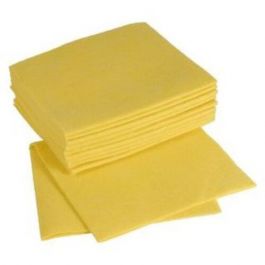
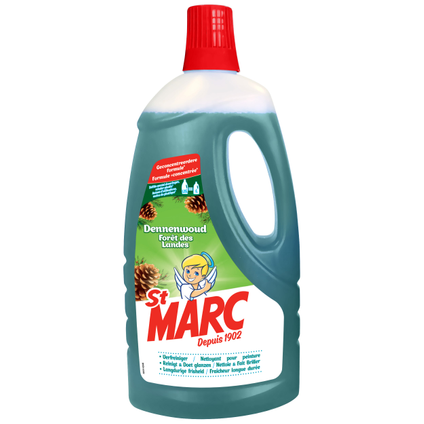
Picture 1; Viscose cleaning wipes Figure 2; St. Marc cleaner.
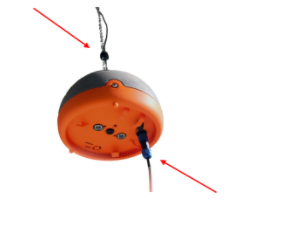
Disconnect the cable connectors:
the power cable on top of the HCM;
the temperature and humidity sensor on the bottom;
seal these plugs with the caps;
(if the cables were already off: clean under the plugs too).
Loosen the carabiner and chain
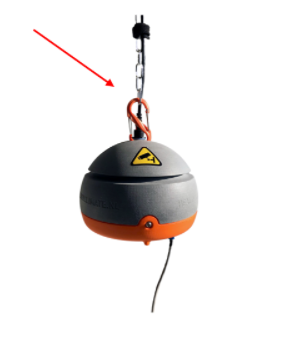 Afbeelding 4; Carabiner en ketting
Open the adapter's red protective box and remove the adapter
Cleaning. Clean all the parts one by one:
squeeze the cleaning cloth well before cleaning the sensors (no water in the sensors!);
first wipe off all the dust;
then, with a warm, well-wrung cloth, scrub off the fly shit from the HCM .. also in the grooves, air intakes, cracks;
wipe the infra-red lights and the camera lens/lenses dry with the tea towel;
the chain, carabiners and red protective box of the adapter may be submerged in your bucket, the rest may not!
Let everything dry in a dry place for 5 days (leave the case open)
Only 5 days of downtime is needed when used consecutively on the same species.
Note: In case of extreme soiling, we can clean the HCM for you.
Mail, app or call us for an appointment.