Data import in Numbers (Mac)
Exporting data from the app and importing it into Numbers (on Mac)
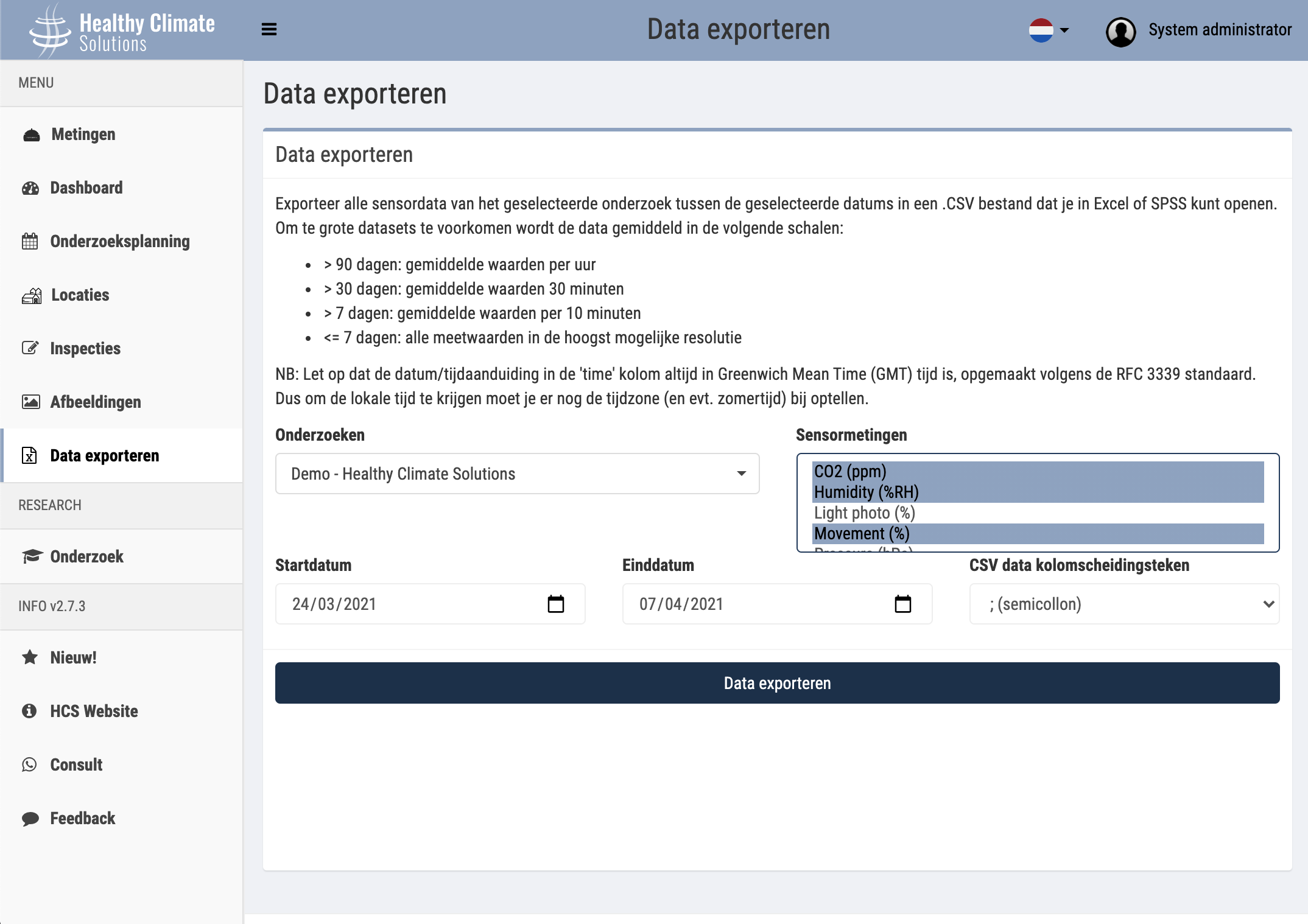 To export measurement data to an Excel file follow these steps:
Go to the menu item 'Export data'
Select the desired study to export data from
Adjust the start/end date based on which days and data resolution you want (see explanation at the top of the screen)
Select (with the Command key held down) one or more Sensor Measurements to export
Press the Export Data button
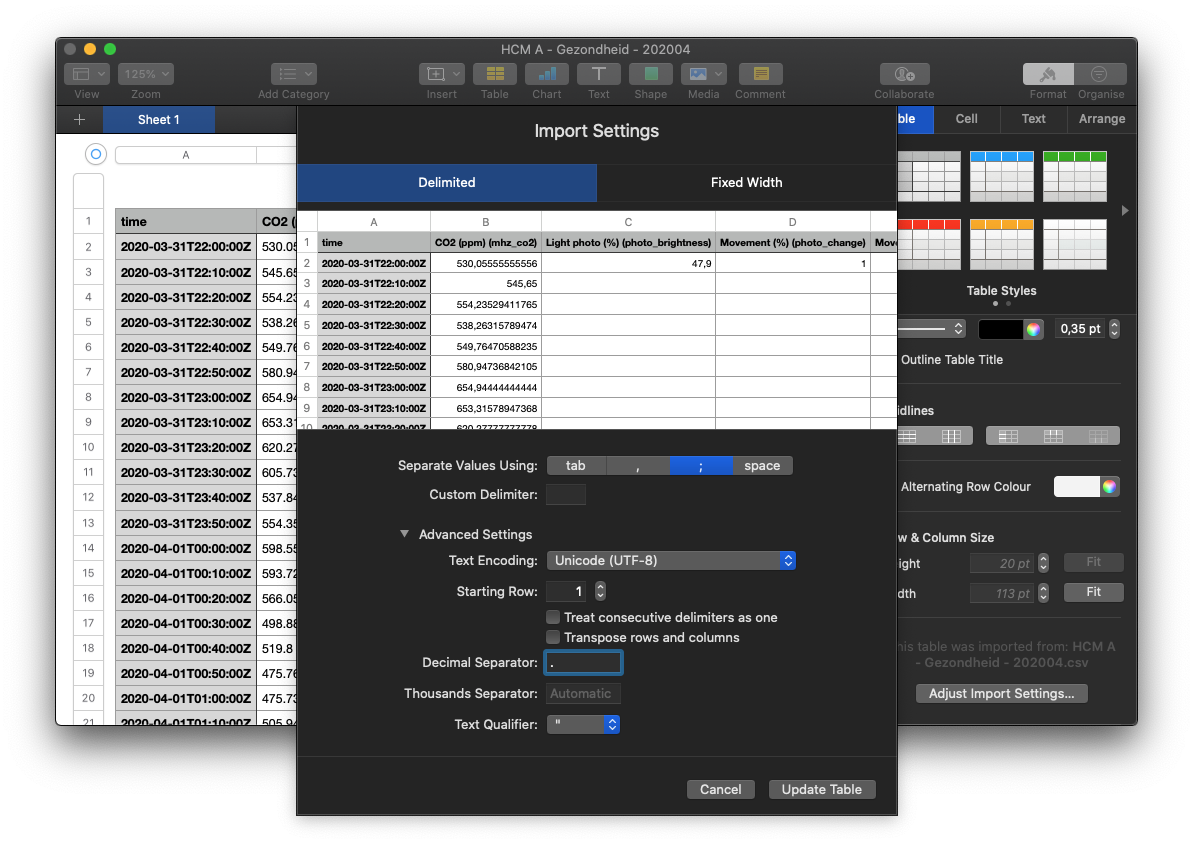
The data is exported with a full stop (.) as the decimal separator.
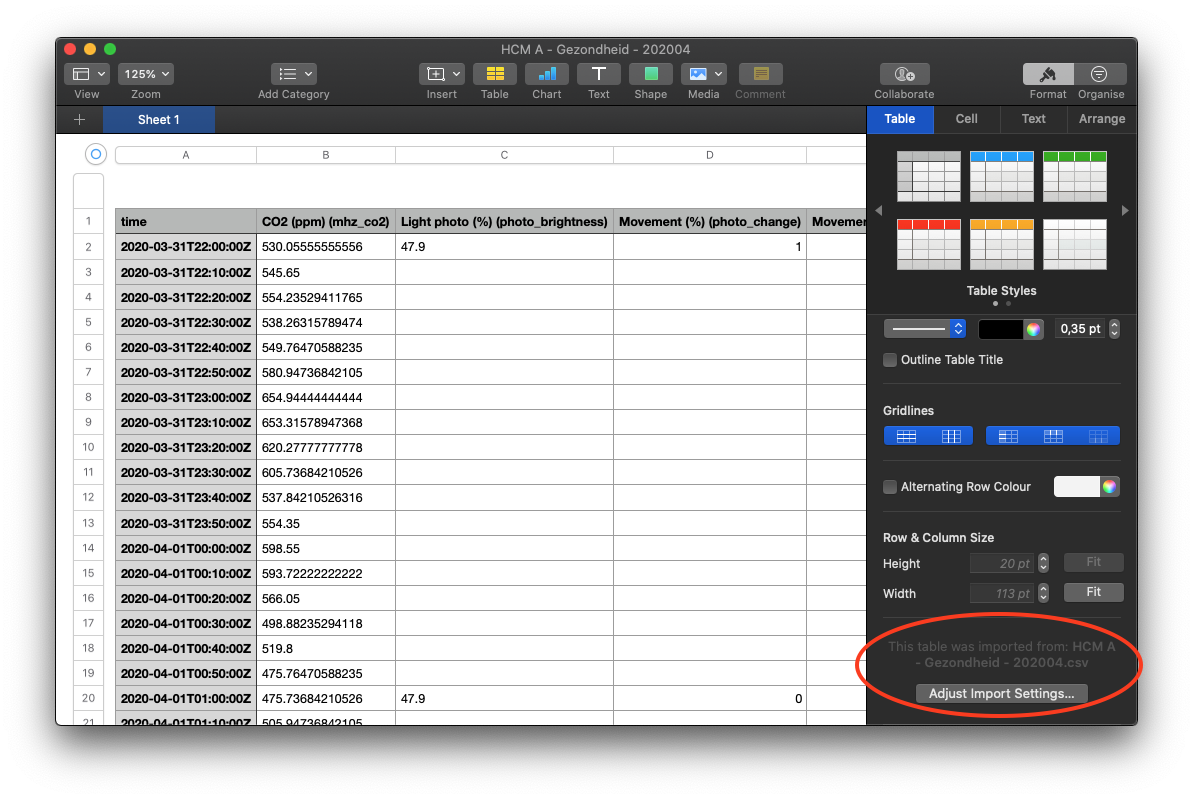
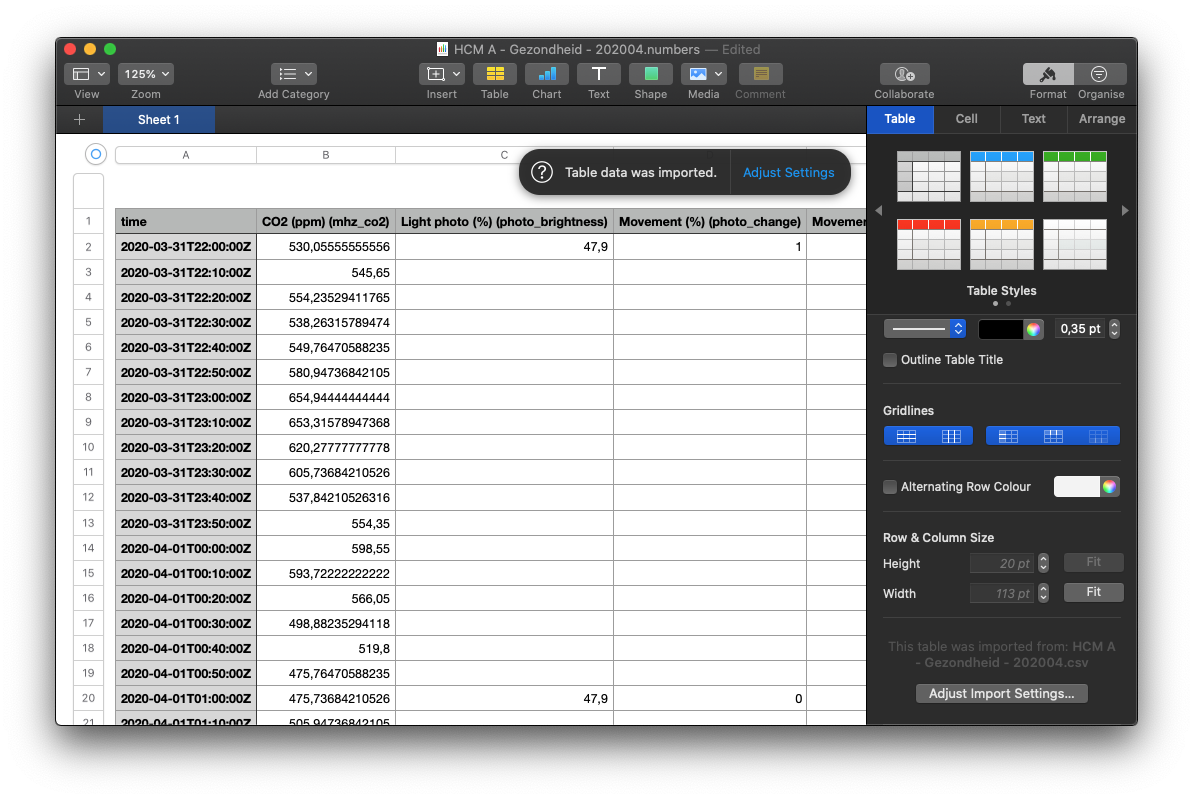
If your Numbers is set with comma (,) as the default separator, follow the following screens to set the data properly: